How do I Raise an Error Report for my Galaxy Ring?
Having troubles with your Galaxy Ring and not sure what to do? If you raise an Error Report through the Galaxy Wearable app our Samsung Members Team will be able to provide further troubleshooting steps to help resolve your issue. Simply follow the below guide for more information.
Please Note: This guide is designed for Australian variant Galaxy devices, if you have an international device and require further support click here to get in touch with your Samsung subsidiary.
Please ensure you raise an Error Report within 5 minutes of the issue occurring on your Galaxy device. While raising an Error Report it is important that you DO NOT close the Samsung Members app while log files are being generated.


 . Once you are ready to send your error report select

Please ensure Send system log data is ticked.
 Samsung Members app

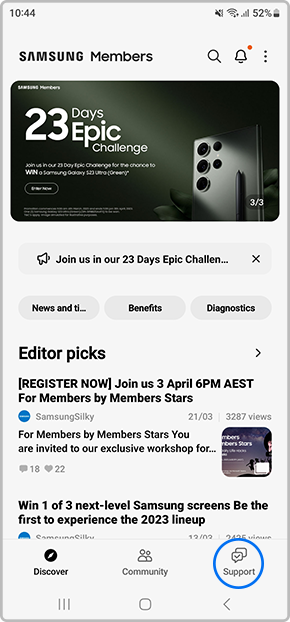

You should be able to view all your raised error reports and responses from our Samsung Members Team.


Need help Raising an Error Report for your other Galaxy devices?
Check out our other How-to's below for more information.


*Samsung uses AI generated images across its website and there may be some minor differences in product depictions.
Thank you for your feedback!
Please answer all questions.
Contact Info
Contact us
WhatsApp
![]()
![]()

