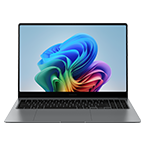
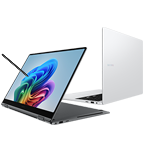
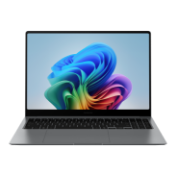
**An international model is shown. Canadian model is a French/English bilingual keyboard.
Meet Galaxy Book5 Pro 360 — our most capable Galaxy AI PC yet. Flex your productivity on the go with the power of the latest Intel® processor, delivering boosted performance for AI-accelerated experiences. Conquer tasks and create like never before while staying charged with an all-day battery1~5.
See the Highlights
360˚ of creative freedom
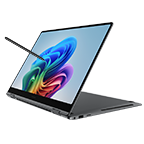
Galaxy Book5 Pro 360 puts a spin on daily productivity with its 2-in-1 convertible design. Weighing in at 1.69kg with a sleek finish in Grey, it's your versatile companion for hustles on the move.
**Thickness, weight and colour availability may vary by model, configuration and country.
***Screen size is measured diagonally as a full rectangle without accounting for the rounded corners. Actual viewable area is less due to the rounded corners.
****An international model is shown. Canadian model is a French/English bilingual keyboard.
**Thickness, weight and colour availability may vary by model, configuration and country.
***Screen size is measured diagonally as a full rectangle without accounting for the rounded corners. Actual viewable area is less due to the rounded corners.
****An international model is shown. Canadian model is a French/English bilingual keyboard.
Powerful processor driving the Next-Gen AI PC
Experience a new level of transformative AI performance with the super-fast Intel® Core™ Ultra processor (Series 2), upgraded graphics and an advanced NPU capable of up to 47 TOPS. Harness all that power to blaze through heavy workloads, render complex 3D models and easily complete AI-intensive tasks with incredible speed.
*Screen image simulated for illustrative purposes. Actual UX/UI may vary.
**CPU and GPU specifications may vary depending on model, country, or region.
***NPU performance varies by processor. Intel® Core™ Ultra 5 and Intel® Core™ Ultra 7 support 40 TOPS and 47 TOPS respectively.
****The enhanced performance figures of the CPU and GPU are based on a comparison between Galaxy Book5 Pro 360 with Intel® Core™ Ultra 7 (Series 2) 258V processor and Galaxy Book4 Pro 360 with Intel® Core™ Ultra 7 (Series 1) 155H processor. The CPU single-core performance has improved by 18% and GPU by 16%.
Revisit, rediscover, re-engage with Recall
Explore your PC's history and quickly find what you need with Recall — like those inspiring designs you saw on the web a while back. Scan through snapshots in the timeline to get relevant results and related docs.
*Copilot+ PC experiences will not be available on Galaxy Book5 Pro 360 at launch. Expected to be available via future update. Timing may vary by device and region. Availability is dependent on Microsoft's release schedule. See aka.ms/copilotpluspc.
**Image simulated, subject to change. Sequence shortened. Actual UX/UI may differ.
***Requires internet connection.
****Optimized for select languages (English, Chinese (simplified), French, German, Japanese, and Spanish). Content-based and storage limitations apply.
*****Adobe product screenshots reprinted with permission from Adobe.
******Onscreen image generated with Adobe Firefly AI engine.
Refine image resolution with AI
Retouch images and clean up blurry photos with Photo Remaster. The snappy tool uses a smart algorithm that gives all-new life to your snaps and makes every detail shine — just like magic.
**Service availability may vary by country, device model.
***Onscreen image generated with Adobe Firefly AI engine.
Stay powered up from morning to night1~5
Charge once, stay productive all day with the long-lasting battery of Galaxy Book5 Pro 360, supporting up to 25 hours of video runtime. To power up, plug in the compact charger to get up to 35% in just about 30 minutes using fast charging.
Big woofers. Deeper sound
Galaxy Book5 Pro 360 now features more than 2x larger than before, the 38mm woofers — so you feel the bass in every beat with rich low-frequency sounds. Plus, the quad speakers are tuned with Dolby Atmos for immersive surround sound.
*The quad-speaker system on Galaxy Book5 Pro 360 features two woofers (5W max each) and two tweeters (3.3W each).
**Galaxy Book5 Pro 360 features 38mm big woofers compared to the 18mm woofers on Galaxy Book4 Pro 360.
*** An international model is shown. Canadian model is a French/English bilingual keyboard.
Brighten up video calls with Staggered HDR
Jump into online workshops confidently with Staggered HDR. Your webcam video stays crisp and vivid with a wide dynamic range, so you are camera-ready for sessions in the studio or on the go.
*Screen image simulated for illustrative purposes. Actual UX/UI may vary.
Smarter touchpad. Dongle-free ports
Navigate easily using the touchpad with adaptive palm rejection — control your taps with precision thanks to palm monitoring on the subdivided palm area, reducing the chance of accidental touches. Plus, connect what you need dongle-free with versatile built-in ports, including HDMI, USB-A, microSD slot and two Thunderbolt 4 ports for rapid data transfers.
*Port layout may vary by model.
**Actual speed of USB may vary depending on user environment.
Wi-Fi 7. Full speed ahead
Go online, stay online — Wi-Fi 7 is up to 4.8x faster than Wi-Fi 6, letting you connect reliably with lightning speed. Join online meetings, share updates and stay in touch easily with smooth real-time interactions and ultra-low latency.
*Wi-Fi 7 network availability may vary by OS version, country, market, network provider and user environment. Requires optimal connection and a Wi-Fi 7 router.**Wi-Fi 7 (supporting 320 MHz channels and 4096 QAM) is up to 4.8x faster when compared with Wi-Fi 6 and Wi-Fi 6E (supporting 80 MHz channels and 1024 QAM).
Samsung Knox. Pro security
Safeguard your system with premium security from Samsung Knox. A dedicated security chip in the hardware is designed to shield your device in real time. Protected all around, your laptop's critical system data can stay safe from potential threats and breaches.
*Image simulated for illustrative purposes. Actual UX/UI may be different.Explore Galaxy Book5 Series
Frequently Asked Questions
How are Galaxy Book5 Pro 360 and Galaxy Book5 Pro different? Which model is good for me?
Galaxy Book5 Pro 360 and Galaxy Book5 Pro are high-performance laptops with intelligent Copilot+ PC and Galaxy AI features and powerful Intel® Core™ Ultra processors (Series 2), great for intensive workloads. If you need a high-end laptop for note-taking, design and creativity, the 2-in-1 Galaxy Book5 Pro 360 with S Pen support is ideal for you. Grab the precise S Pen and turn your artistic vision into reality. If you are looking for a premium, portable laptop, Galaxy Book5 Pro is right for you. It comes in 16"" and 14"" sizes. The 14"" model is lightweight and easy to carry on the go.
*Copilot+ PC experiences will not be available on Galaxy Book5 Pro 360 at launch. Expected to be available via future update. Timing may vary by device and region. Availability is dependent on Microsoft's release schedule. See aka.ms/copilotpluspc.**Thickness, weight and color availability may vary by model, configuration and country.
***Screen size is measured diagonally as a full rectangle without accounting for the rounded corners. Actual viewable area is less due to the rounded corners.
What processor does Galaxy Book5 Pro 360 have?
Galaxy Book5 Pro 360 is a convertible laptop with a powerful processor delivering incredible next-gen AI PC performance for your creative endeavors. Speed through heavy workloads, complex 3D model rendering, AI-intensive tasks and more with ease. Galaxy Book5 Pro 360 is equipped with an Intel® Core™ Ultra processor (Series 2). Galaxy Book5 Pro 360 model features an NPU capable of up to 47 TOPS, a CPU with up to 18% and GPU with up to 16% improved performance when compared with Galaxy Book4 Pro 360 model.
*CPU and GPU specifications may vary depending on model, country, or region.**NPU performance varies by processor. Intel® Core™ Ultra 5 and Intel® Core™ Ultra 7 support 40 TOPS and 47 TOPS respectively.
***The enhanced performance figures of the CPU and GPU are based on a comparison between Galaxy Book5 Pro 360 with Intel® Core™ Ultra 7 (Series 2) 258V processor and Galaxy Book4 Pro 360 with Intel® Core™ Ultra 7 (Series 1) 155H processor. The CPU single-core performance has improved by 18% and GPU by 16%.
What AI features does Galaxy Book5 Pro 360 have?
Galaxy Book5 Pro 360 supports intelligent Copilot+ PC and Galaxy AI features, enhancing your everyday laptop productivity and creativity. Use Galaxy AI features such as AI Select to instantly get search results for text, images and QR codes using S Pen, the cursor or your fingertips. With Photo Remaster, upscale and retouch your photos with ease. Copilot+ PC features provide personalized AI assistance. Use Recall to look through past task history on your PC, Live Captions to get real-time translation, or Cocreator in Paint to transform your bright ideas into works of art.
*Copilot+ PC experiences will not be available on Galaxy Book5 Pro 360 at launch. Expected to be available via future update. Timing may vary by device and region. Availability is dependent on Microsoft's release schedule. See aka.ms/copilotpluspc.**AI features require internet connection and Samsung or Microsoft account login.
***AI features service or function availability may vary by country, language or device model. Availability of supported languages may vary. Certain languages may require language pack download.
****Samsung does not make any promises, assurances or guarantees as to the accuracy, completeness or reliability of the output provided by AI features.
*****Please refer to the product page for detailed restrictions of each feature.
Does Galaxy Book5 Pro 360 have a touchscreen?
Galaxy Book5 Pro 360 features a 16" 3K(2880x1800) WQXGA+ high-resolution Dynamic AMOLED 2X touchscreen. The display also supports intuitive multi-touch gestures and up to 120Hz refresh rate for a smooth and fluid user experience. Thanks to the 2-in-1 convertible design, the screen can rotate up to 360° and supports S Pen, so you can sketch your ideas, take detailed notes and create content easily.
*Screen size is measured diagonally as a full rectangle without accounting for the rounded corners. Actual viewable area is less due to the rounded corners.What is the battery life of Galaxy Book5 Pro 360?
Galaxy Book5 Pro 360 is a laptop supporting long-lasting battery life, so you can stay productive for as long as you need. Galaxy Book5 Pro 360 supports up to 25 hours of video runtime. If you run low on battery, don't worry. Galaxy Book5 Pro 360 supports fast charging — simply plug in and get up to 35% charge in just about 30 minute.
*Based on results from internal lab tests for local video playback time conducted by Samsung. Battery capacity, video runtime, battery life on a full charge and amount of charge that can be charged in 30 minutes vary by model and configuration.**Please refer to the product page for detailed restrictions of each feature.
Specifications
-
Windows 11 Home (Samsung recommends Windows 11 Pro for business)
-
CPU
Intel® Core™ Ultra 7 Processor 256V (P-core Up to 4.8 GHz 12 MB LLC Cache)
-
GPU
Intel® Arc™ 140V GPU (8GB)
-
GPU Type
Shared
-
NPU
Intel® AI Boost
-
Size
16.0"
-
Resolution
2880 x 1800 (WQXGA+)
-
Type
Dynamic AMOLED 2X, Anti-Reflective
-
Touch Screen
Yes
-
Pen Support
Yes
-
Memory Capacity
16 GB
-
Memory Type
LPDDR5X (On Package)
-
Storage Capacity
1 TB
-
Storage Type
NVMe SSD
-
Number of Storage Slots
1
-
Colour
Gray
-
Form Factor
Laptop
-
Speaker
Quad Speakers
-
Smart Amp
Yes
-
Sound Effect
Dolby Atmos®
-
Mic
Dual Array Digital Mic
-
Camera
2.0 MP
-
Wi-Fi
Wi-Fi 7, 802.11 be 2x2
-
Bluetooth Version
Bluetooth v5.4
-
HDMI
1 HDMI 2.1 (Supports 8K@60Hz, 5K@120Hz)
-
USB
2 Thunderbolt™ 4, 1 USB3.2
-
External Storage Support
MircoSD
-
Earjack
1 Headphone out/Mic-in Combo
-
Keyboard
Pro keyboard with Numeric key
-
Keyboard Backlit
Yes
-
Touchpad
Clickpad
-
Pen
S Pen
-
TPM
Yes
-
FingerPrint Reader
Yes
-
Battery Capacity (Wh, Typical)
76.1
-
Adapter
65 W USB Type-C Adapter
-
Dimension (WxDxH)
355.4 x 252.2 x 12.8 mm (13.99" x 9.93" x 0.50")
-
Weight
1.69 kg (3.73 lbs)
-
Ambient Light Sensor, Accelerometer Sensor, Gyro Sensor
-
SmartThings Support
Yes
Reviews
Galaxy Book5 Pro 360 (16.0", Core Ultra 7, 16GB), a Copilot+ PC
- Customers praise the AMOLED display for stunning brightness, color accuracy, and vibrancy that surpasses many desktop monitors
- Reviewers highlight Galaxy AI and Copilot integration as transformative features that streamline tasks and boost productivity
- Many appreciate the 360-degree hinge design, slim profile, and lightweight yet sturdy build for versatile use
- Users report exceptional speed, seamless multitasking, and battery life exceeding 8 hours even at high brightness
- A few note software configuration challenges or isolated hardware concerns, though most find the device highly worthwhile
Reviews with images & videos
Filters
Relevancy sort puts the best reviews at the top. We look at things like helpfulness votes, latest review, pictures and other traits that readers look for in their reviews.
Filters
459 Reviews
2024-12-23
Samsung Support Team
Hello, thank you for sharing your thoughts with us. We’re sorry to hear that you’re disappointed, and we will be sure to share your feedback with our teams so we can continually improve our products, services, and processes. Thanks again.
2025-11-11
2025-06-28
2025-09-23
Martin Samsung CS
Hello, We appreciate you sharing your experience with us. We’re sorry to hear that you experienced challenges with your product and will share this feedback to our relevant teams. If you would like to provide additional feedback or discuss this ticket further, our email support will be happy to assist by visiting https://www.samsung.com/ca/support/emailsupport and choosing ‘Email General Support’ Thank you, Samsung Customer Care
Ivana Samsung CS
Hello, We appreciate you sharing your experience with us. We’re sorry to hear that you experienced challenges with your product and will share this feedback to our relevant teams. If you would like to provide additional feedback or discuss this ticket further, our email support will be happy to assist by visiting https://www.samsung.com/ca/support/emailsupport and choosing ‘Email General Support’ Thank you, Samsung Customer Care
2025-07-27
2025-11-27
California
2026-06-25
Huddersfield UK
CX
We’re so sorry to read about your experience with your Galaxy Book5 Pro, especially with the cracked screen on the left corner after just a month and a half of use. We would recommend getting in touch with us directly, so we can look into this further and provide the support you need. You’ll find our contact details and operating hours via the link below: http://www.samsung.com/uk/support/contact/ We value your feedback, as it helps us improve our services for our valued customers, and we hope to resolve this for you as quickly as possible. ^HB at Samsung Support
2025-02-27
Flat Top WV
2025-03-17
2024-10-22
Samsung Support Team
Hello, thank you for your review and feedback. We will pass your comments along to our staff. If there is anything we can do to improve your experience, please feel free to let us know by contacting us at 1-800-SAMSUNG or via live chat on our website (http://www.samsung.com/ca/support/). Thanks again.
2026-03-12
2025-01-04
Homestead fl
2025-09-15
Martin Samsung CS
Hi Wayne, We appreciate you taking time out of your day to provide us product feedback. We will pass this to our relevant teams. For additional product feature feedback or troubleshooting support, please connect with our experts via Live Chat at https://www.samsung.com/ca/support/live-chat-support Thank you, Samsung Customer Care.
2026-02-17
Bangor, ME
2026-01-29
Pakistan
2025-03-12
London
CX
Thank you for taking the time to share with us this in-depth review about your amazing Galaxy Book5 Pro 360. We are pleased to read that you find the battery of this laptop very usable, and that you are also impressed by its excellent connectivity, compact design and clear display, as well as its 2-in-1 feature. We also appreciate that you wished this laptop to support a SIM or eSIM, as well as for the performance and changing of screen orientation to be more reliable. Please don't hesitate to get in touch with our IT specialists, who will be more than happy to assist you with getting the best experience out of it. You can contact them at 0333 000 0333, Mon-Fri | 8am to 8pm Sat-Sun | 9am to 6pm or on Live Chat here: https://bit.ly/SamsungUKSupport ^CL at Samsung Support
2024-10-27
2025-07-25
2025-09-15
2025-10-14
2025-10-04
2025-03-12
Surrey
CX
We are over the moon to see you are loving your Galaxy Book5 Pro 360, Tony! With the joint powers of the Intel® Core™ Ultra 7 Processor and the impressive 76Wh battery, you will get hours of fun! Wi-Fi 7 will give you the ultimate connectivity. The insane 2-in-1 convertible design will give you more freedom to do those specific tasks and take your productivity to new heights! Not only this, with the S Pen your creativity will wow everyone you meet! ^LB at Samsung Support
2026-05-26
2025-06-30
2025-12-06
2025-08-25
2025-10-28
2025-08-24
2026-05-25
2025-09-20
Banning, California
2025-07-10
R&R Team
Hello Jorge, Thanks for sharing your thoughts with us about your experience using the Samsung Galaxy Book5 Pro 360. We appreciate your candor as we improve the design and functionality of our products. Samsung provides a 12-month warranty for manufacturing defects in materials and workmanship. We also offer Samsung Care+ which can be added to eligible devices. It's similar to extended warranty and an insurance package combined that provides protection beyond the standard manufacturer's warranty. It would cover events like accidental damage, mechanical breakdowns, and potentially theft and loss. Samsung Care+ offers you the ultimate peace of mind when added to your eligible devices. The keyboard on the Galaxy Book5 Pro 360 automatically locks when it's folded into tablet mode, preventing any accidental input by ensuring that only the touchscreen is active. Please make sure you're placing the S Pen on the designated charging area on the back of your device as misalignment can prevent the S Pen from attaching and charging properly. If you would like to share any other feedback with us or if you would like any further assistance, please do not hesitate to contact Samsung Support. Thank you for being a loyal Samsung customer. - Debra Samsung Support smsng.us/Samsung-Support Warranty Information smsng.us/Warranty-Info Facebook Messenger smsng.us/Facebook-Messenger X Messages https://smsng.us/X-Messages Samsung Community smsng.us/Samsung-Community Samsung Care Plus smsng.us/Samsung-Care-Plus Galaxy Book5 Pro 360 https://www.samsung.com/us/computing/galaxy-books/galaxy-book5-pro-360/ Product Manuals https://www.samsung.com/us/support/downloads/
2025-08-29
Pune, India
CX
We are disheartened to see your Galaxy Book5 Pro 360 has endured damage. Our products are built to last, and with the impressive 16.0" WQXGA+ AMOLED Anti-reflective display, you'll get the ultimate viewing experience! We know our engineers will determine the cause of the issue, and get this working to perfection again. You can get Samsung Care+ within 6 months of purchase to buy a policy, however, you won't be able to get this covered on it as you are yet to purchase the policy. We'd recommend contacting our Support Teams for further assistance regarding this. You can find their contact details and opening hours here: https://www.samsung.com/uk/support/contact/ ^LB at Samsung Support
2026-03-07
Las Vegas
R&R Team
Hello Jerjer97, Thank you for taking the time to share your sentiments with us about your experience using the Samsung Galaxy Book5 Pro 360. Your critiques provide valuable insights that will assist us with improving our product line. Samsung provides a 12-month warranty on your PC for manufacturing defects in materials and workmanship. We would love nothing more than to be able to assist you with whatever you may be experiencing with your device but without having more details available regarding what may be occurring and without being able to ask you any follow up questions to probe further, I recommend reaching out to Samsung Support for further assistance at your earliest convenience. Thank you for being a faithful Samsung customer. Thank you for choosing Samsung! - Debra Samsung Support smsng.us/Samsung-Support Warranty Information smsng.us/Warranty-Info Facebook Messenger smsng.us/Facebook-Messenger X Messages https://smsng.us/X-Messages Samsung Community smsng.us/Samsung-Community Galaxy Book5 Pro 360 https://www.samsung.com/us/computing/galaxy-books/galaxy-book5-pro-360/ Product Manuals https://www.samsung.com/us/support/downloads/
2024-09-20
2025-10-01
Service clients Samsung
Bonjour Ov3r_MAGISTR4L,\nMerci beaucoup d'avoir choisi un produit Samsung !\nNous prenons chaque commentaire au sérieux dans notre engagement constant envers l'amélioration.\n Si le problème persiste, nous vous invitons à contacter l’un de nos collaborateurs afin de trouver une solution adaptée à votre situation: https://www.samsung.com/fr/support/contact .\nDécouvrez également les conseils de notre communauté Samsung sur le fonctionnement de votre produit sur: https://www.samsung.com/fr/apps/samsung-members/ \nCordialement\nCharlie, Service clients Samsung
2026-05-25
2026-05-25
2025-06-21
2025-12-15
North east
CX
We are sorry to see you are having issues with the display on your Book5 Pro, Bryn. We are not aware of any issues with the display on the Book5 Pro, and can guarantee that it is made with high standard materials, and the 16.0" WQXGA+ AMOLED display will wow you for years to come! If you have endured any physical damage, then this will void your warranty and any repairs will be chargeable. This is line with the Terms and Conditions of the warranty agreement. Our engineers will thoroughly investigate this, and will give you the outcome to get your laptop back working to perfection. We recommend reaching out to our Support Teams who will be on hand to help. You can find their contact details and opening hours here: https://www.samsung.com/uk/support/contact/ ^LB at Samsung Support
2025-10-11
2025-02-20
San Antonio, TX
2025-09-30
USA
2025-04-18
Los Angeles
2025-10-04
Service clients Samsung
Bonjour LL1Mail, Merci infiniment pour vos retours positifs sur notre Galaxy Book5 360! Nous sommes ravis de savoir que vous appréciez ses fonctionnalités. Nous tenons à vous assurer que vos commentaires ont été pris en compte dans notre démarche d'amélioration continue. Nous vous recommandons de visiter notre site pour découvrir les dernières nouveautés et compléter votre écosystème Samsung: https://www.samsung.com/fr/ Cordialement Charlie, Service clients Samsung
2025-04-12
Martin Samsung CS
Hi Rinith, Thank you for taking time out of your day to providing us product feedback. We will pass this to our relevant teams. For additional product feature feedback or troubleshooting support, please connect with our experts via Live Chat at https://www.samsung.com/ca/support/live-chat-support Thank you, Samsung Customer Care.
2025-02-09
2026-01-16
New York
R&R Team
Hello Deborah, Thank you for taking the opportunity to reach out to share your experience using your Samsung Galaxy Book5 Pro 360. We appreciate your constructive input as we improve our product line. We understand how frustrating it may feel to have a device that may not be functioning as anticipated. As you know, Samsung provides a 12-month warranty on your device for manufacturing defects in materials and workmanship. We also offer Samsung Care+ which is similar to an extended warranty and an insurance package combined. It can provide protection beyond the standard manufacturer's warranty. It could cover events like accidental damage, mechanical breakdowns, and potentially theft and loss. Samsung Care+ truly offers you the ultimate peace of mind when it comes to protecting your investment. Our partners at UbreakIfix are also available to assist you with any repair needs you may have. Unlike desktop computers, laptops need to be frequently charged since they have an internal battery. If your Samsung PC will not start or turn on, it probably needs a quick charge. On the other hand, if the laptop is not charging or the charger doesn’t seem to be working, or you have a desktop with power issues, then you’ll need to check the power source and some other possible causes. When you have the time available, please check out "Samsung PC does not start, power on, or charge" to conduct some troubleshooting steps to help resolve what you've described to be experiencing with your PC. If you would like any further assistance afterward, please feel free to reach out to Samsung Support. We're always happy to listen and work toward a better experience for our customers. Thank you for being a valued Samsung customer. - Debra Samsung Support smsng.us/Samsung-Support Warranty Information smsng.us/Warranty-Info Facebook Messenger smsng.us/Facebook-Messenger X Messages https://smsng.us/X-Messages Samsung Community smsng.us/Samsung-Community Samsung Care Plus smsng.us/Samsung-Care-Plus UbreakIfix https://www.ubreakifix.com/ Samsung PC does not start, power on, or charge https://www.samsung.com/us/support/troubleshooting/TSG01209064/ Galaxy Book5 Pro 360 https://www.samsung.com/us/computing/galaxy-books/galaxy-book5-pro-360/
2025-12-11
2025-07-28
2025-05-03
2025-11-14
California
2026-03-13
2025-12-03
Service clients Samsung
Bonjour voltou, Nous vous remercions d’avoir partagé votre avis. Nous comprenons que vous ayez rencontré un dysfonctionnement avec notre Galaxy Book5 360 et nous en sommes navrés. Nous vous encourageons à entrer en contact avec l'un de nos collaborateurs, qui sera en mesure de trouver une solution adaptée à votre situation. Vous pouvez les joindre via le lien suivant: https://www.samsung.com/fr/support/contact/ Nous restons à votre disposition. Cordialement Alex, Service clients Samsung
2026-02-02
2025-06-08
2025-12-05
2026-05-21
2026-03-12
2025-09-06
Laconia NH
2025-09-15
2026-02-04
2026-07-07
R&R Team
Howdy Nerd, Thank you for sharing your experience using the Samsung Galaxy Book5 Pro 360. Your insights are valuable to us as we continue to innovate while improving our product line to best align with our customer's needs. Samsung provides a 12-month warranty on your device for manufacturing defects in materials and workmanship. Software updates are a vital part of keeping your PC running its best. It's important to periodically check for updates since they are released at different intervals. To make things easier, your Samsung PC allows you to quickly check and apply updates. You can even customize the update options, so they'll only happen at times that are convenient for you. Updating the drivers for your Samsung PC can be done through either Samsung Update or Windows Update. However, getting drivers for any external devices you connect to your PC is also important. Windows Update may offer these drivers as well, but may mark them as optional. If the external device or component you are connecting happens to also be made by Samsung, such as a monitor, you may find drivers for it from our Download Center. 1 - Navigate to our Download Center and then search for your PC using its model code or product name. You can also select Computing, and then select your model. 2 - The available drivers will be displayed in the Drivers section. Select your desired driver, and then follow the on-screen instructions to install it. 3 - If drivers are not available from the Download Center, then available drivers from Samsung Update and Windows Update can be used, or the drivers built-in to Windows may be sufficient. Note: Devices or components made by manufacturers other than Samsung may offer drivers directly from their site. Please take a moment to review the resources linked below to help resolve what you've described to be experiencing with your PC. If you have any questions for us afterward or if you would like further assistance, please do not hesitate to reach out to Samsung Support. Thanks for being an integral part of the Samsung community! - Debra Samsung Support smsng.us/Samsung-Support Warranty Information smsng.us/Warranty-Info Facebook Messenger smsng.us/Facebook-Messenger X Messages https://smsng.us/X-Messages Samsung Community smsng.us/Samsung-Community Galaxy Book5 Pro 360 https://www.samsung.com/us/computing/galaxy-books/galaxy-book5-pro-360/ Update software, apps, and drivers on your Samsung PC https://www.samsung.com/us/support/answer/ANS10001472/
2025-12-21
Service clients Samsung
Bonjour Fluxy1707, Nous regrettons le dysfonctionnement que vous avez rencontré avec notre Galaxy Book5 Pro 360. Nous souhaitons vous apporter notre assistance pour surmonter les difficultés spécifiques que vous avez rencontrées. Nous vous encourageons à entrer en contact avec l'un de nos collaborateurs, qui sera en mesure de trouver une solution adaptée à votre situation. Vous pouvez les joindre via le lien suivant: https://www.samsung.com/fr/support/contact/ Cordialement Charlie, Service clients Samsung
2025-08-04
2025-04-30
2025-08-20
2026-05-27
New Orleans, LA
R&R Team
Hey there Sibbs, Thank you for reaching out to share your experience using the Samsung Galaxy Book5 Pro 360. We appreciate your constructive input as we improve our product line to best suit the needs of our customers. Samsung provides a 12-month warranty on your PC for manufacturing defects in materials and workmanship. We also offer Samsung Care+ that is similar to extended warranty and an insurance package combined that provides protection beyond the standard manufacturer's warranty. It would cover events like accidental damage, mechanical breakdowns, and potentially theft and loss. Samsung Care+ offers you that peace of mind when added to your eligible devices (Phones, Tablets, Watches, Buds, Rings & PCs). Our partners at UbreakIfix are also available to assist you with any repair needs you may have. Please feel free to check out the resources shared below and contact Samsung Support afterward if you would like further assistance. Thank you for being a valued Samsung customer. - Debra Samsung Support smsng.us/Samsung-Support Warranty Information smsng.us/Warranty-Info Facebook Messenger smsng.us/Facebook-Messenger X Messages https://smsng.us/X-Messages Samsung Community smsng.us/Samsung-Community Samsung Care Plus smsng.us/Samsung-Care-Plus UbreakIfix https://www.ubreakifix.com/ Galaxy Book5 Pro 360 https://www.samsung.com/us/computing/galaxy-books/galaxy-book5-pro-360/
2025-08-20
2025-01-08
R&R Team
Good day RaghavSocial, Thank you for finding the free time out of your busy day to share your thoughts with us about your Samsung Galaxy Book5 Pro 360. We value your honesty as we improve the design and functionality of our product line. We're so happy to hear that you have been enjoying the features, functionality, and design of your Galaxy Book5 Pro 360. Our goal is for our customers to feel like they are having the most amazing experiences when using our products. If you would like to share additional feedback with us or if you would like any further assistance, feel free to contact Samsung Support at your leisure. Thank you for being an unwavering Samsung customer. - Debra smsng.us/Samsung-Support smsng.us/Warranty-Info smsng.us/Facebook-Messenger https://smsng.us/X-Messages smsng.us/Samsung-Community
2025-08-04
2025-10-01
Service clients Samsung
Bonjour Cryauto13,\nSamsung vous remercie de partager vos remarques, vos recommandations. Votre œil expert est une source précieuse d'inspiration pour nous améliorer constamment et créer des produits qui répondent à vos besoins. Merci de faire partie de notre communauté Samsung !\nNous prenons chaque commentaire au sérieux dans notre engagement constant envers l'amélioration.\nNous vous recommandons de visiter notre site Samsung pour découvrir les nouveautés de cette année: https://www.samsung.com/fr/\nCordialement\nCharlie, Service clients Samsung
2025-09-04
California
2025-07-28
2025-11-09
CX
Thanks for taking the time to share your review, Ely! We're so pleased to hear that you're enjoying your Galaxy Book5 Pro 360 overall. The Galaxy Ecosystem enables connected experiences between Galaxy devices, and your laptop is compatible with this. You can find out more right here: https://www.samsung.com/uk/mobile/connected-experience/ The above link will help answer any questions you have regarding using the Ecosystem. We're super excited for you to try out the effortless connectivity modes! ^EW at Samsung Support
2025-02-01
R&R Team
Salutations Randy93, Thanks for taking the time out of your busy schedule to share your thoughts with us about your Samsung Galaxy Book5 Pro 360. We appreciate your candor as we make every effort to improve the design and functionality of our product line. Our goal is for our customers to feel like they are having the most ideal experiences while using our products. Samsung provides a 12-month warranty on our products for manufacturing defects in materials and workmanship, linked below. Please feel free to contact Samsung Support if you would like to share additional feedback with us or if you would like any further assistance. Thank you for being a faithful Samsung customer. - Debra smsng.us/Samsung-Support smsng.us/Warranty-Info smsng.us/Facebook-Messenger https://smsng.us/X-Messages smsng.us/Samsung-Community
2025-02-25
2025-11-11
Miami FL
2025-03-30
2025-02-25
2025-06-02
2026-01-20
Maryland
2025-11-16
2026-03-28
R&R Team
Hello Uday, Thanks for taking the time to share your thoughts with us about your experience using the Samsung Galaxy Book5 Pro 360. We strive to provide our customers with exceptional experiences and quality products. Samsung provides a 12-month warranty for manufacturing defects in materials and workmanship. We also offer Samsung Care+ that is similar to extended warranty and an insurance package combined that provides protection beyond the standard manufacturer's warranty. It would cover events like accidental damage, mechanical breakdowns, and potentially theft and loss. Samsung Care+ offers you that peace of mind when added to your eligible devices (Phones, Tablets, Watches, Buds, Rings & PCs). Our partners at UbreakIfix are also standing by to assist you with any repair needs you may have. If you would like to share any other feedback with us or if you would like any further assistance, please feel free to contact Samsung Support at your earliest convenience. Thanks for being a devoted Samsung customer. - Debra Samsung Support smsng.us/Samsung-Support Warranty Information smsng.us/Warranty-Info Facebook Messenger smsng.us/Facebook-Messenger X Messages https://smsng.us/X-Messages Samsung Community smsng.us/Samsung-Community Samsung Care Plus smsng.us/Samsung-Care-Plus UbreakIfix https://www.ubreakifix.com/ Galaxy Book5 Pro 360 https://www.samsung.com/us/computing/galaxy-books/galaxy-book5-pro-360/
2025-11-26
Philadelphia PA
2025-04-29
Service clients Samsung
Bonjour Stari_legox, Nous sommes comblés de savoir que vous appréciez notre Galaxy Book5, merci beaucoup ! Votre recommandation est très appréciée. Visitez notre site pour découvrir les dernières nouveautés et complétez votre écosystème Samsung : https://www.samsung.com/fr/ Nous espérons vous revoir très prochainement ! Cordialement Alex, Service clients Samsung
2025-02-19
2026-03-13
2025-01-03
Baltimore, Maryland
R&R Team
Hi there Long Time Samsung User, Thanks for taking the time to review your Samsung Galaxy Book5 Pro 360. We appreciate your honesty as we strive to provide the very best products with superior functionality on the market to our customers while we remain committed to constant innovation. Our goal is for our customers to feel like they are having the most unforgettable experiences while using our products. Samsung provides a 12-month warranty on our products for manufacturing defects in materials and workmanship, linked below. We would be more than happy to assist you with what you may be experiencing with your Galaxy Book5 Pro 360, however, we need more information regarding what may be occurring with your device before we can do so. Please feel free to reach out to Samsung Support at your leisure if you would like assistance with troubleshooting your device or if you would like to share additional feedback with us. Thank you for being a loyal Samsung customer. - Debra smsng.us/Samsung-Support smsng.us/Warranty-Info smsng.us/Facebook-Messenger https://smsng.us/X-Messages smsng.us/Samsung-Community
2025-08-17
2026-04-28
Westland MI
R&R Team
Hey there Samsung Devotee No More, Thank you for finding the free time to share your thoughts with us about your experience using the Samsung Galaxy Book5. We appreciate your feedback as we strive to be innovative while continuing to improve the design and functionality of our product line. Samsung provides a 12-month warranty on our products for manufacturing defects in materials and workmanship, linked below. We also offer Samsung Care+ that is similar to extended warranty and an insurance package combined that provides protection beyond the standard manufacturer's warranty. It would cover events like accidental damage, mechanical breakdowns, and potentially theft and loss. Samsung Care+ offers you that peace of mind when added to your eligible devices (Phones, Tablets, Watches, Buds, Rings & PCs). Our partners at UbreakIfix are also available to assist you with any repair needs you may have. Unlike desktop computers, laptops need to be frequently charged since they have an internal battery. If your Samsung PC will not start or turn on, it probably needs a quick charge. On the other hand, if the laptop is not charging or the charger doesn’t seem to be working, or you have a desktop with power issues, then you’ll need to check the power source and some other possible causes. Please take a moment to check out, "Samsung PC does not start, power on, or charge" to help resolve what you may be experiencing with your PC. Please do not hesitate to contact Samsung Support afterward if you have any questions for us or if you would like any additional assistance with troubleshooting your PC. Thank you for being a valued Samsung customer. - Debra Samsung Support smsng.us/Samsung-Support Warranty Information smsng.us/Warranty-Info Facebook Messenger smsng.us/Facebook-Messenger X Messages https://smsng.us/X-Messages Samsung Community smsng.us/Samsung-Community Samsung Care Plus smsng.us/Samsung-Care-Plus UbreakIfix Galaxy Book5 https://www.samsung.com/us/computing/galaxy-books/galaxy-book5/ Samsung PC does not start, power on, or charge https://www.samsung.com/us/support/troubleshooting/TSG01209064/
2025-06-02
2025-07-31
Harlingen TX
2025-06-13
2025-10-23
2026-04-07
2025-10-14
2025-09-28
2025-09-30
Service clients Samsung
Bonjour Loupblanc3161, Merci beaucoup d'avoir choisi un produit Samsung! Nous sommes ravis que vous appréciiez notre Galaxy Book5 360! Nous vous encourageons à entrer en contact avec l'un de nos collaborateurs, qui sera en mesure de trouver une solution adaptée à votre situation. Vous pouvez les joindre via le lien suivant: https://www.samsung.com/fr/support/contact/ N'hésitez pas à visiter notre site Samsung pour découvrir les nouveautés de cette année: https://www.samsung.com/fr/ Cordialement Alex, Service clients Samsung
2025-02-26
2025-04-29
Service clients Samsung
Bonjour Sylf, Merci beaucoup ! Nous sommes ravis que vous appréciiez notre Galaxy Book5 360 ! Nous espérons que votre expérience avec notre produit continuera à vous apporter satisfaction. Nous vous recommandons de visiter notre site pour découvrir les dernières nouveautés et compléter votre écosystème Samsung : https://www.samsung.com/fr/ Cordialement Alex, Service clients Samsung
These reviews are managed by Bazaarvoice and comply with the Bazaarvoice Authenticity Policy, which is supported by anti-fraud technology and human analysis. Details at
https://www.bazaarvoice.com/ca/trustmark/User manual & downloads
*Image simulated.
Features and Specifications are accurate as of commercial launch but may be subject to change without prior notification. All specifications and descriptions provided herein may be different from the actual specifications and descriptions for the product. Samsung reserves the right to make changes to this web page and the product described herein, at any time, without obligation on Samsung to provide notification of such change. All functionality, features, specifications, GUI and other product information provided in this web page including, but not limited to, the benefits, design, pricing, components, performance, availability, and capabilities of the product are subject to change without notice or obligation. The contents within the screen are simulated images and are for demonstration purposes only. Images are for illustration purposes only and the accessories are sold separately. An international model is shown. Colour availability may vary depending on country.
**User memory is less than the total memory due to storage of the operating system and software used to operate the device features. Actual user memory will vary depending on the operator and may change after software upgrades are performed.
Network : The bandwidths supported by the device may vary depending on the region or service provider.
*Actual speed of USB can vary depending on user environment
*Weights and height vary depending on manufacturing process
*Please contact Samsung Call Center or Samsung Authorized Service Centers before you replace or add storage and memory for compatibility check
*Typical value of battery capacity tested under third-party laboratory condition. Typical value is the estimated average value considering the deviation in battery capacity among the battery samples tested under IEC 61960 standard. Actual battery life may vary depending on network environment, usage patterns and other factors.
*Screen size is measured diagonally as a full rectangle without accounting for the rounded corners. Actual viewable area is less due to the rounded corners.